Overview
About
TUTOR is an educational app designed to help schools and teachers support their pupils in independently filling knowledge gaps in maths.
The “Goal” flow in — the step-by-step pathway children follow through each lesson — needed more clarity and motivation, particularly for younger learners. My aim was to refine the experience without altering its underlying structure.
Challenge
Solution
Introduced friendly characters, small animations, and encouraging messages to create a more motivating and rewarding journey.
Clarified and simplified the wording to better support young readers.
Simplified the flow to make the navigation more intuitive for children
Impact
Children described the updated flow as easier to follow and more enjoyable during usability testing.
The usability sessions showed the teachers that we genuinely care about pupils and their needs, reinforcing our relationship with them.
Role
As the Product Designer in a small, cross-functional team (Product Owner, Web Developer), I worked on UX research and design, including:
User and stakeholder interviews
Usability testing
Heuristic Evaluation
Behavioural tracking
Competitor Analysis
Creating wireframes, mockups and prototypes
The Goal, a core piece of the learning experience that needed some refresh
TUTOR is a learning app designed to bridge maths knowledge gaps, whatever the starting point of the learner. One of its core elements is the Goal — a structured, step-by-step learning sequence that pupils complete to work through a maths concept. Although this sequence is central to the learning experience, it hadn’t been revisited since the app launched.
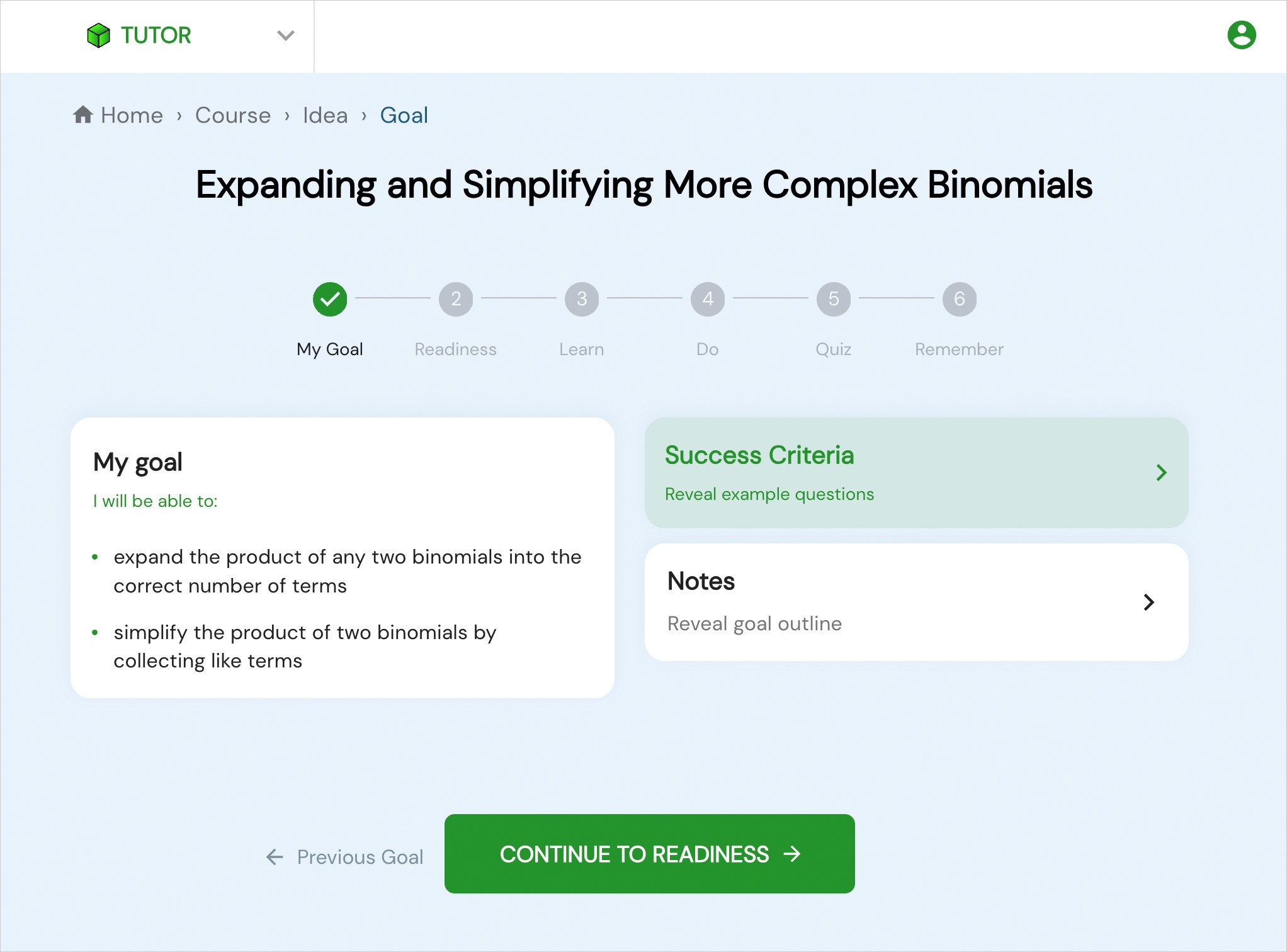
An app designed for anyone with a maths knowledge gap – but primarily used in primary schools
TUTOR is a learning app designed to bridge maths knowledge gaps, whatever the starting point of the learner. One of its core elements is the Goal — a structured, step-by-step learning sequence that pupils complete to work through a maths concept. Although this sequence is central to the learning experience, it hadn’t been revisited since the app launched.
A flow that doesn’t engage users effectively.
Users often skip the learning step and go straight to the quiz (see screenshot below).
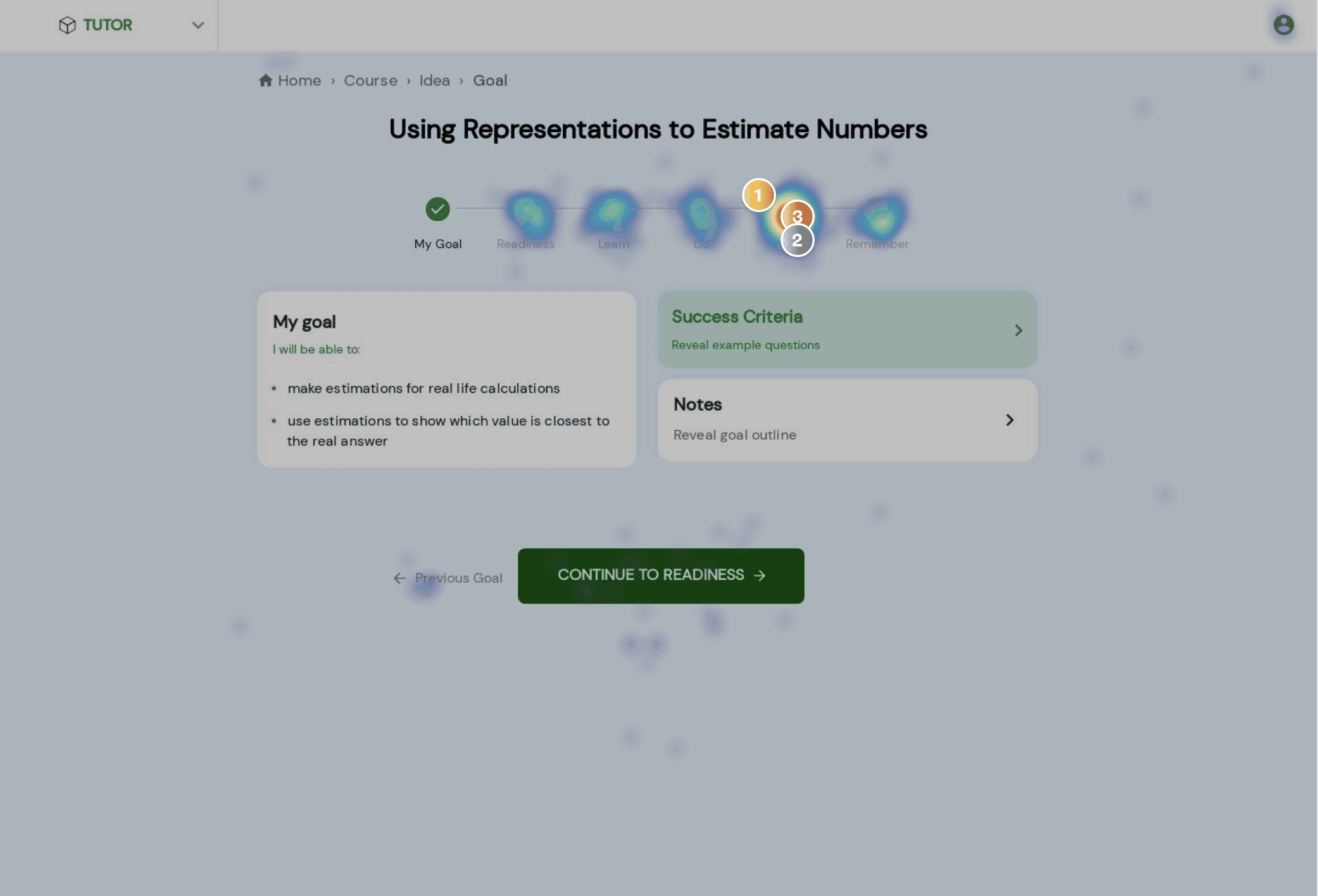
A heatmap from Hotjar that shows that a large portion of user click directly on the Quiz step instead of going through each step
Some of the vocabulary may be too advanced for young children, and the tone isn’t very encouraging.
The app was intentionally designed with minimal distractions to support user focus; however, some users report that it lacks sufficient engagement.


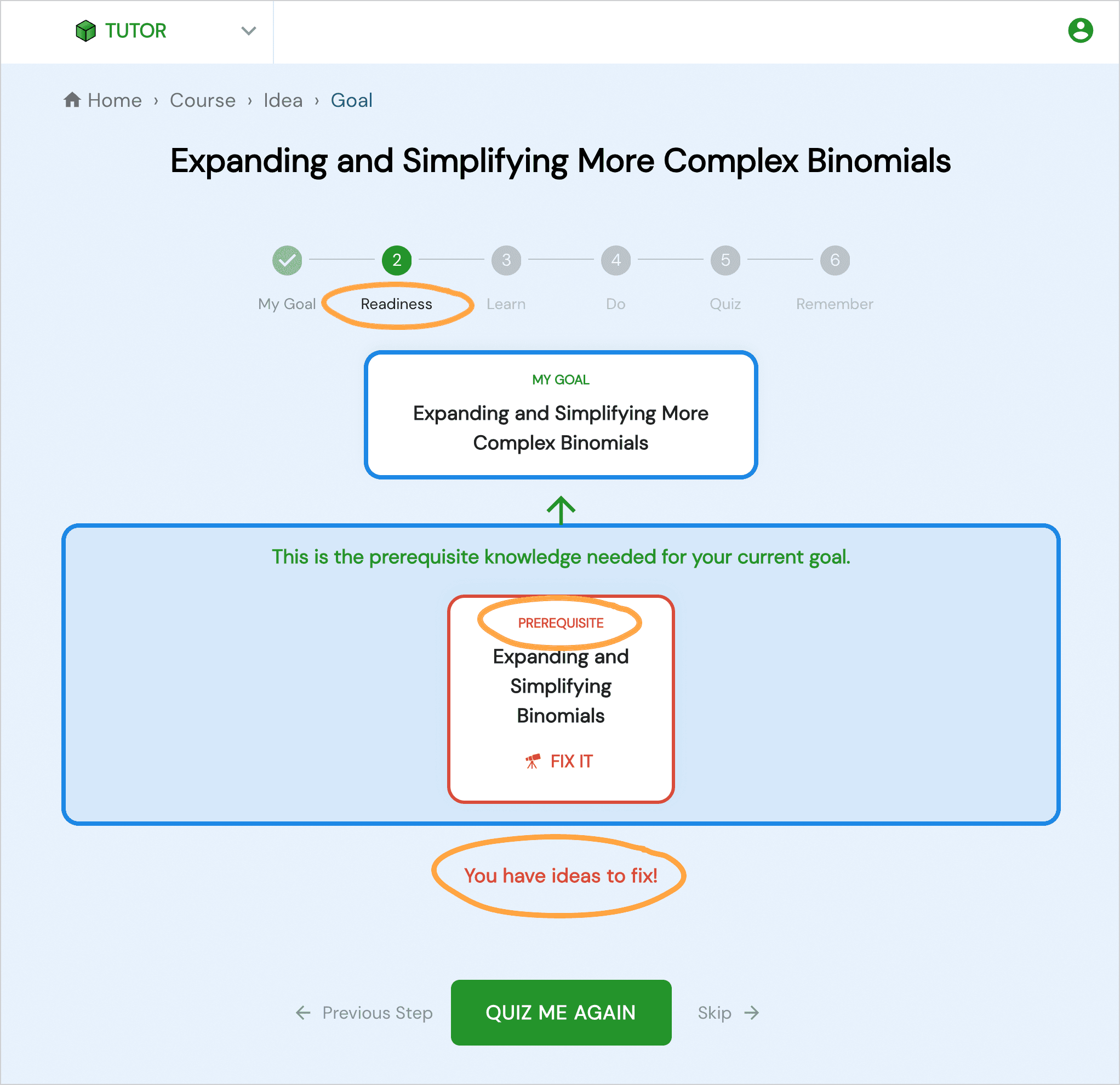
Users don't understand how to navigate
Button patterns are unclear, and the overall navigation is not intuitive.

Sample of Heuristic Eveluation
Objective: Create clearer navigation, a more intuitive interface, and a more child-friendly experience
Rather than carrying out a full redesign, we focused on addressing key issues that could be improved quickly and with minimal effort.
Stepper Bar
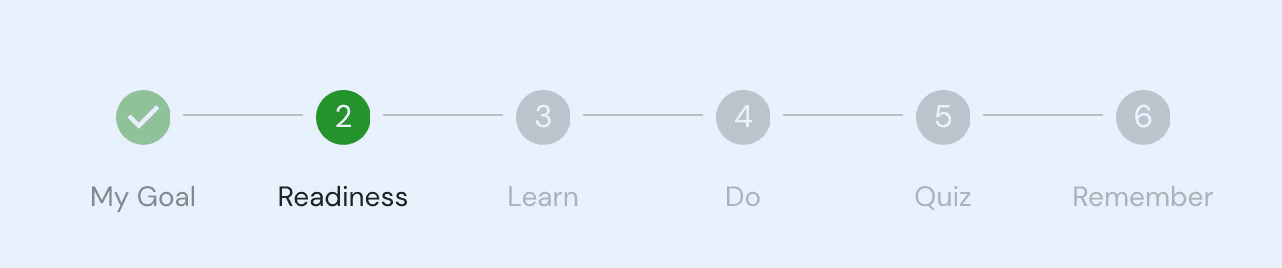
❌ Before


✅ After
Removed the unnecessary “My Goal” step.
Added a visual progression in the step UI component, making it easy to see whether a step is completed.
Replaced “Readiness” with “Get Ready” to make the step clearer and consistent with the other verb-based steps.
Get Ready
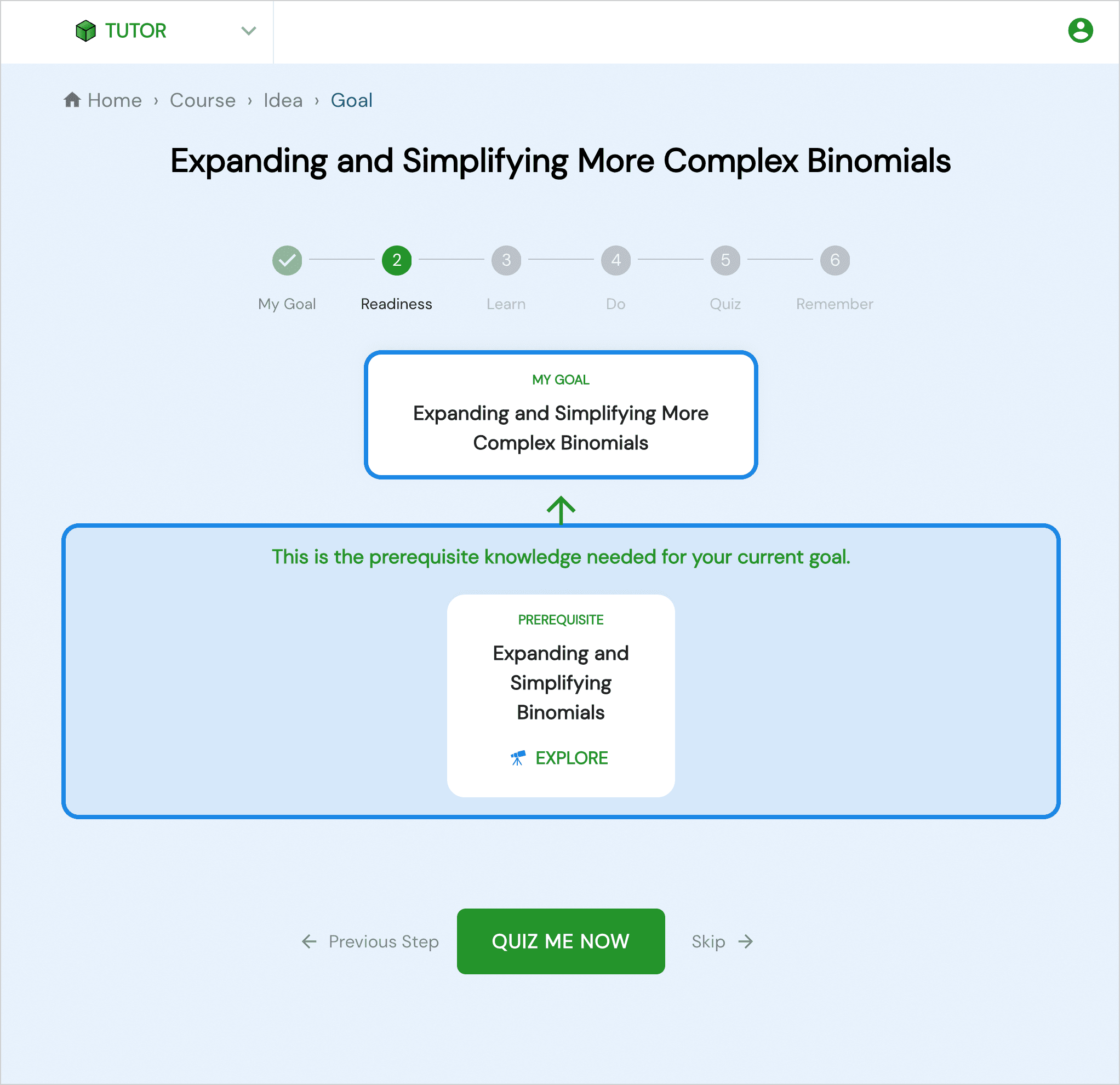
❌ Before
“Quiz me now” was easily confused with the Goal Quiz step.
It wasn’t clear when the user needed to move to the next step.
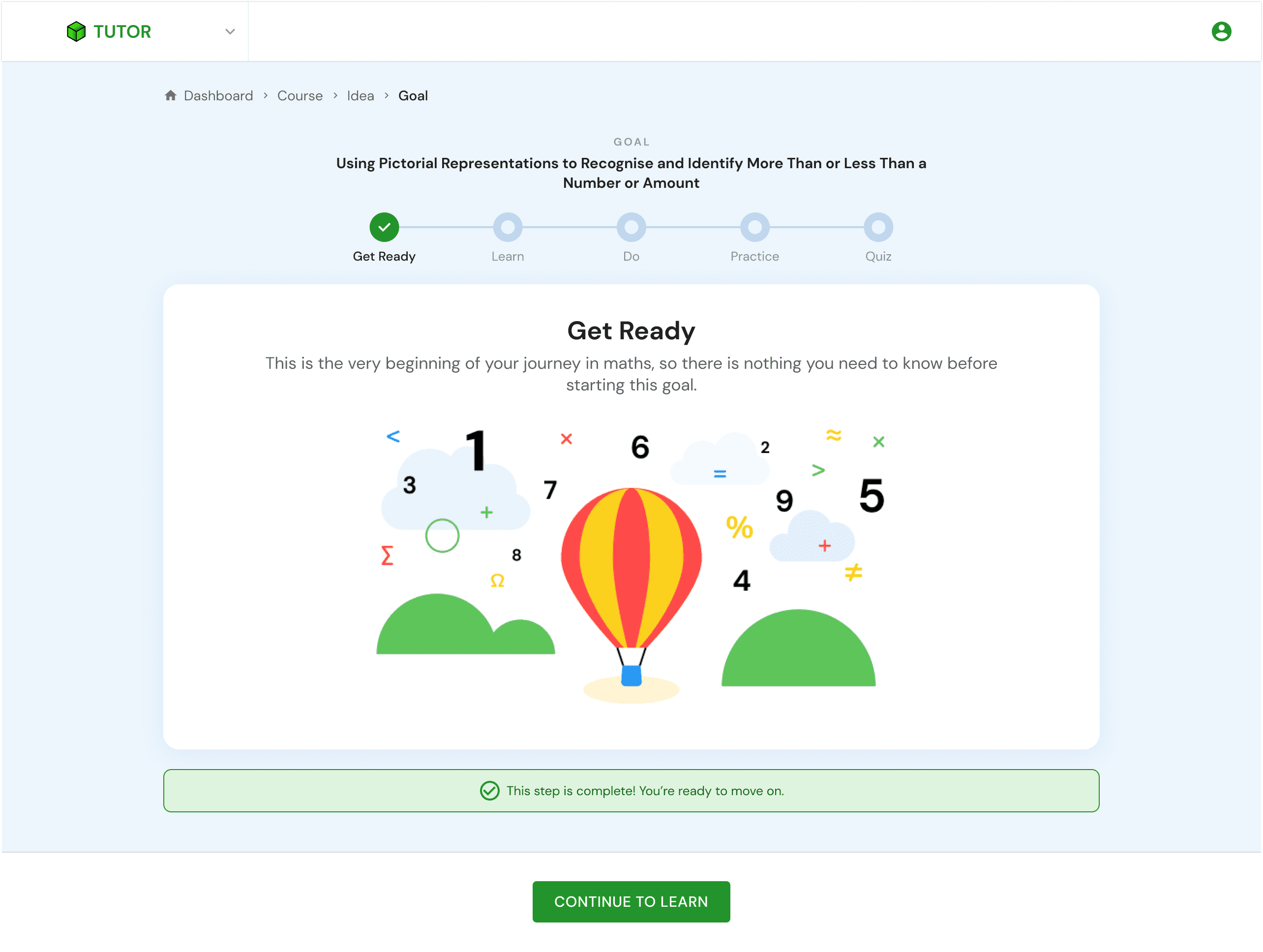
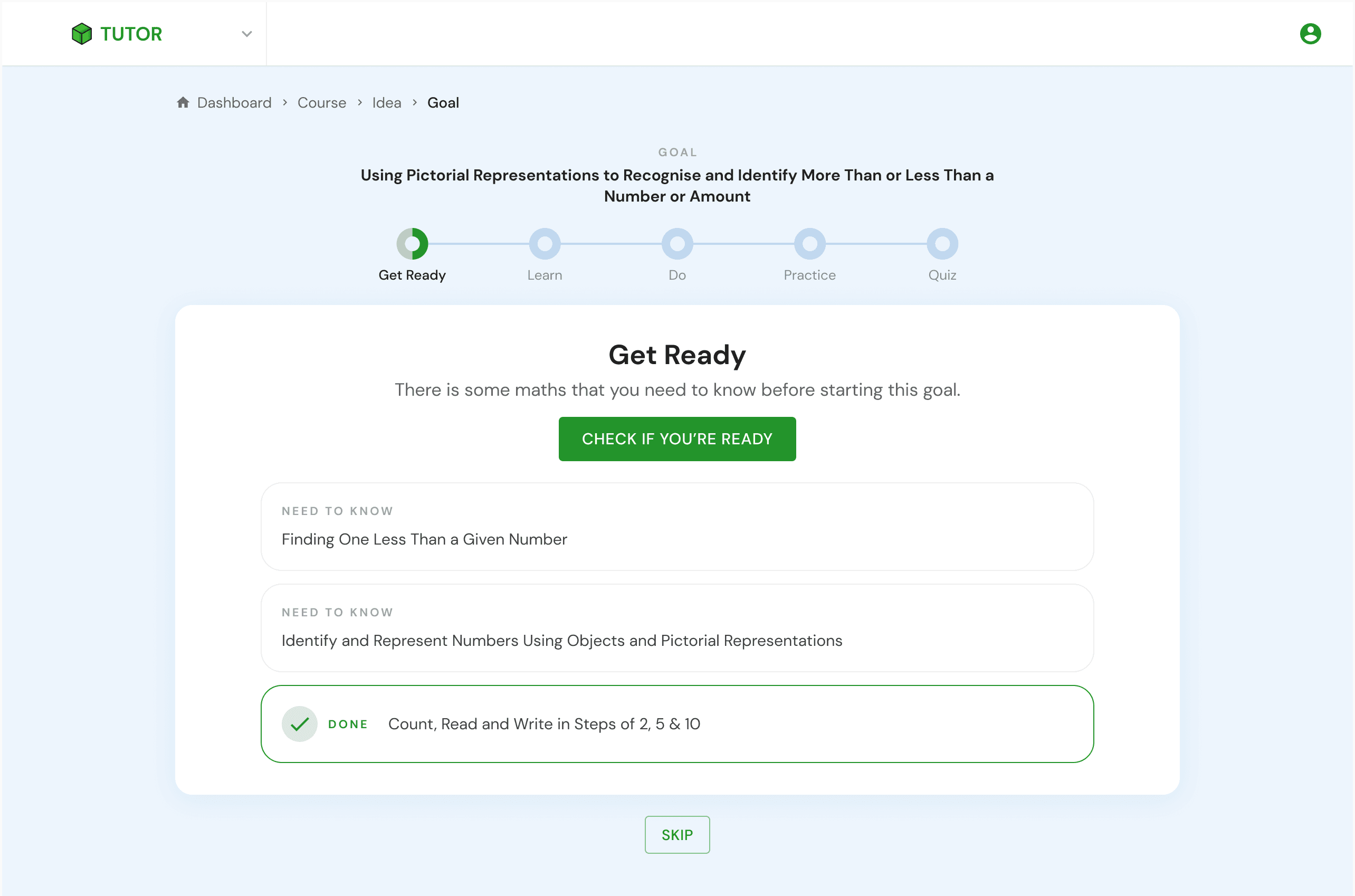
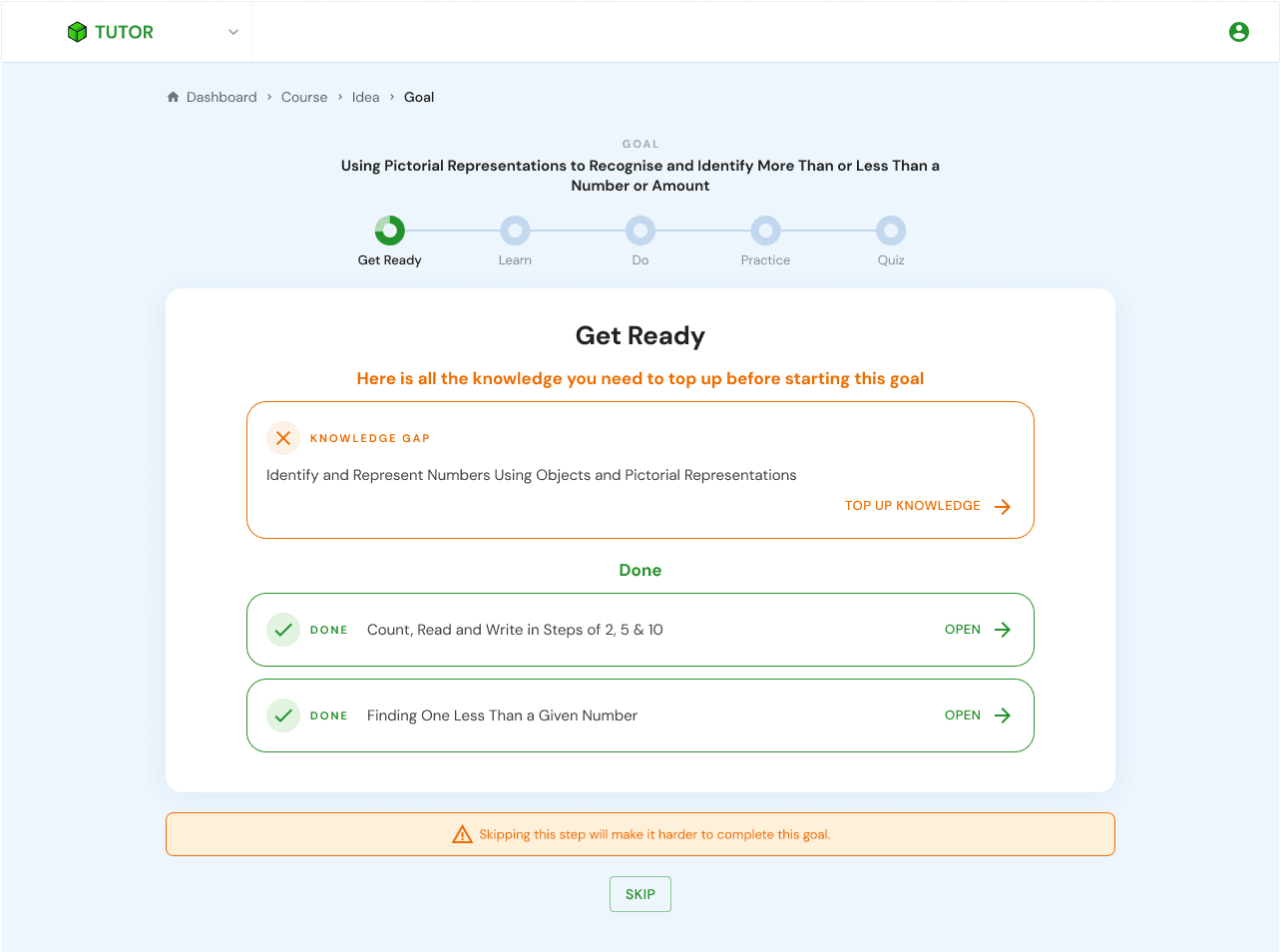

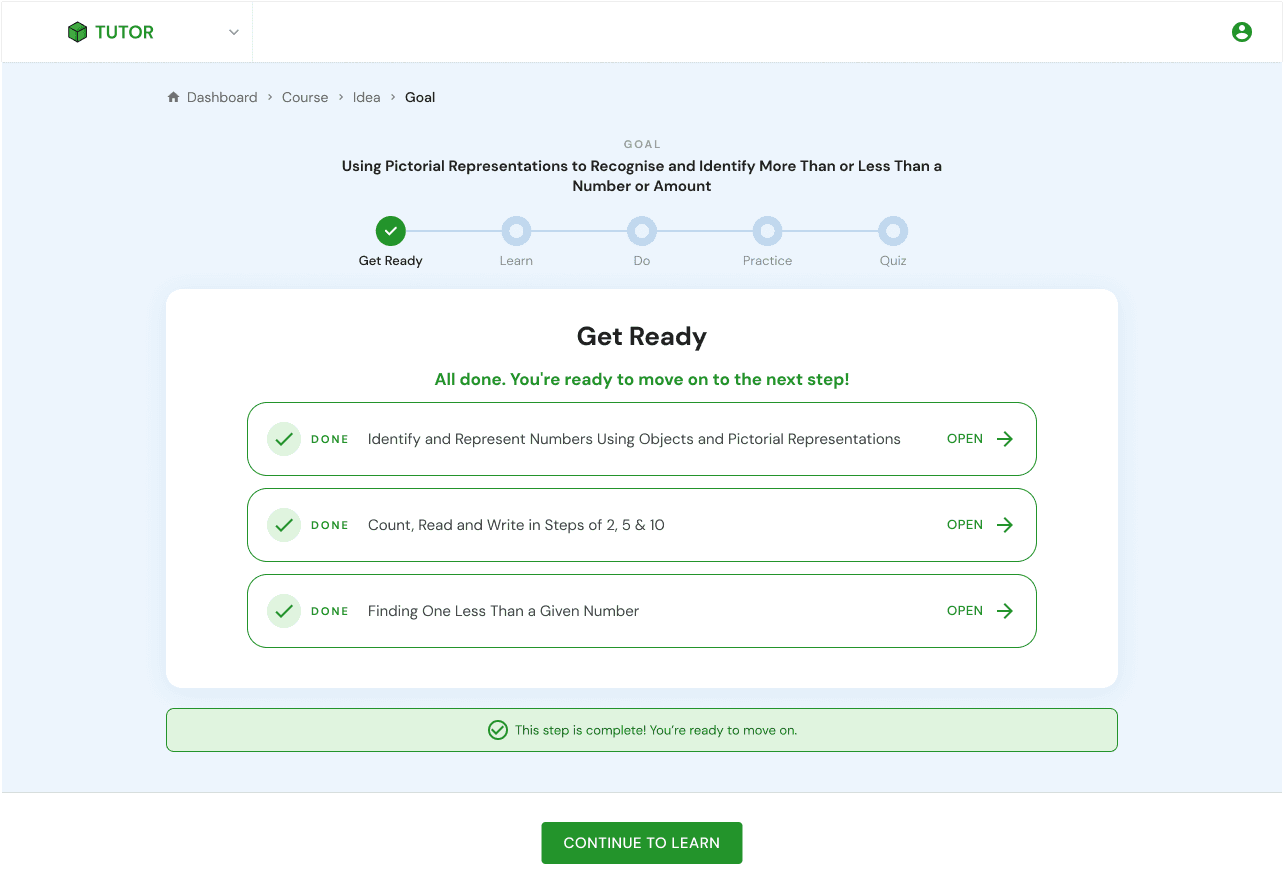

✅ After
Added a banner message to inform users when they can move to the next step or need to continue working on the current step.
Added a sticky button at the bottom once the step is completed, allowing users to easily proceed to the next step.
Replaced “Prerequisite” with “Knowledge Gap” for uncompleted prerequisites.
Created an illustration for the very first goal.
Switched from red to orange to make the feedback feel less discouraging.
Learn & Do
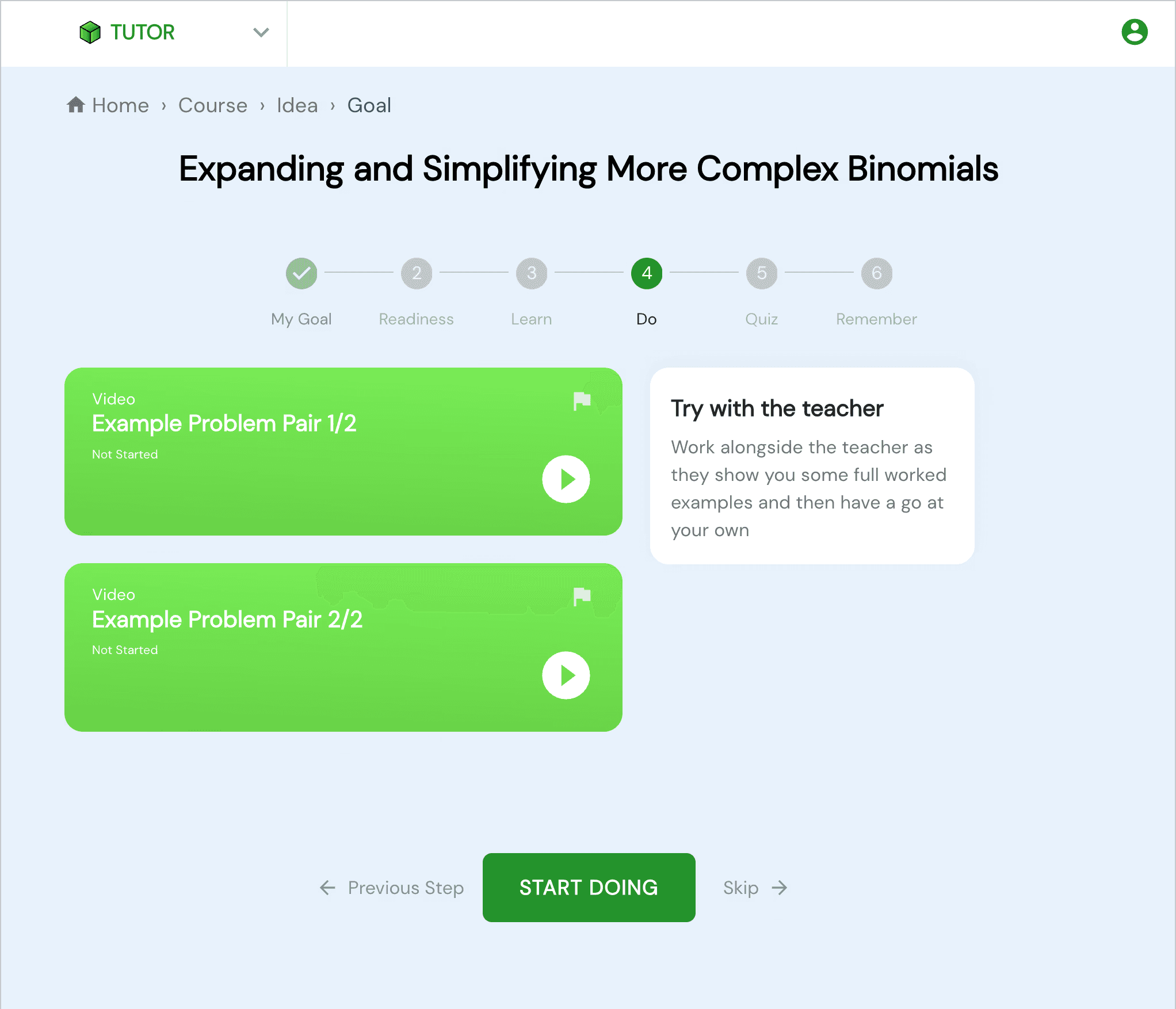
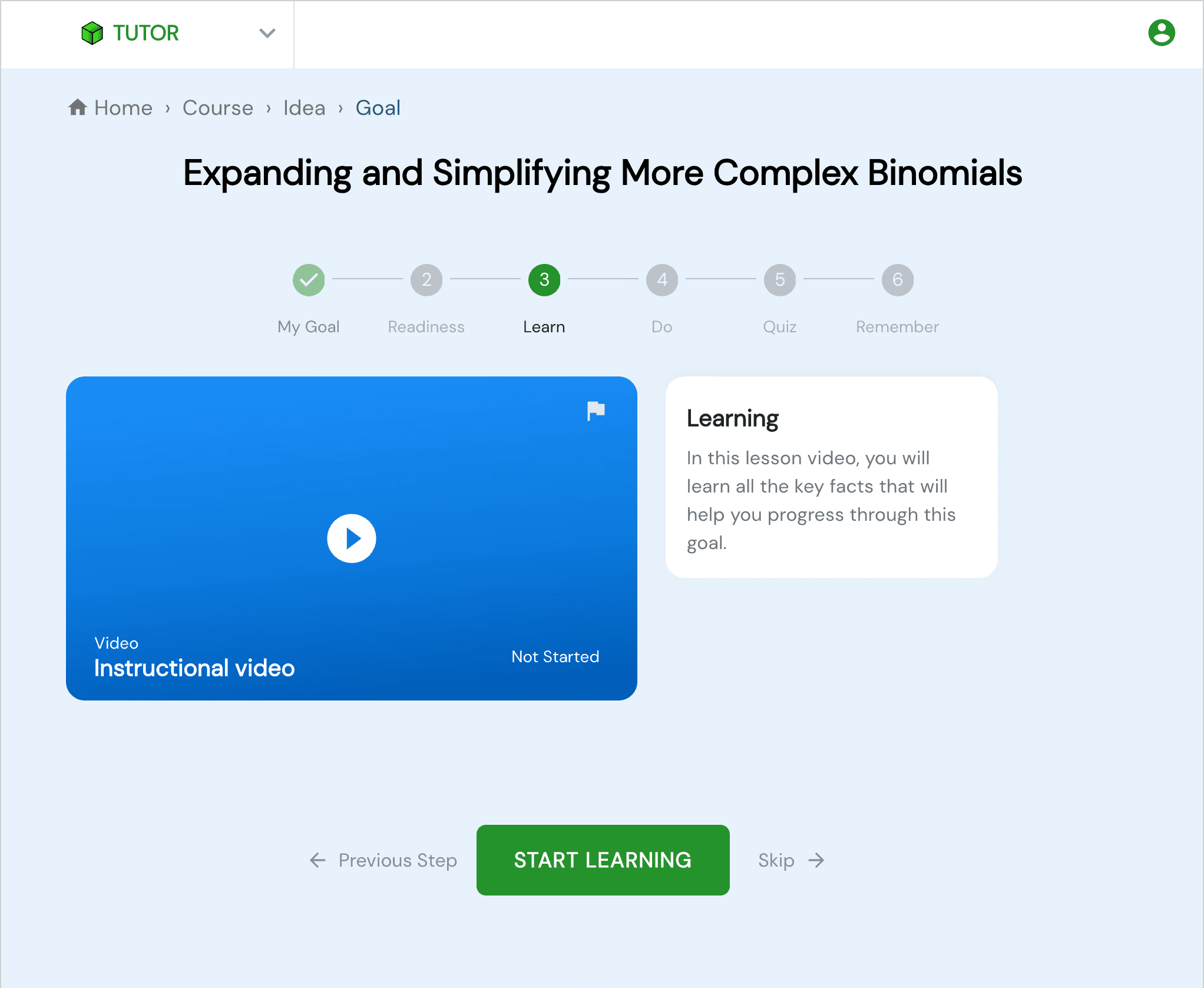
❌ Before
The flag button is extremly visible and add some clutter
Video thumbnail don't look very engaging
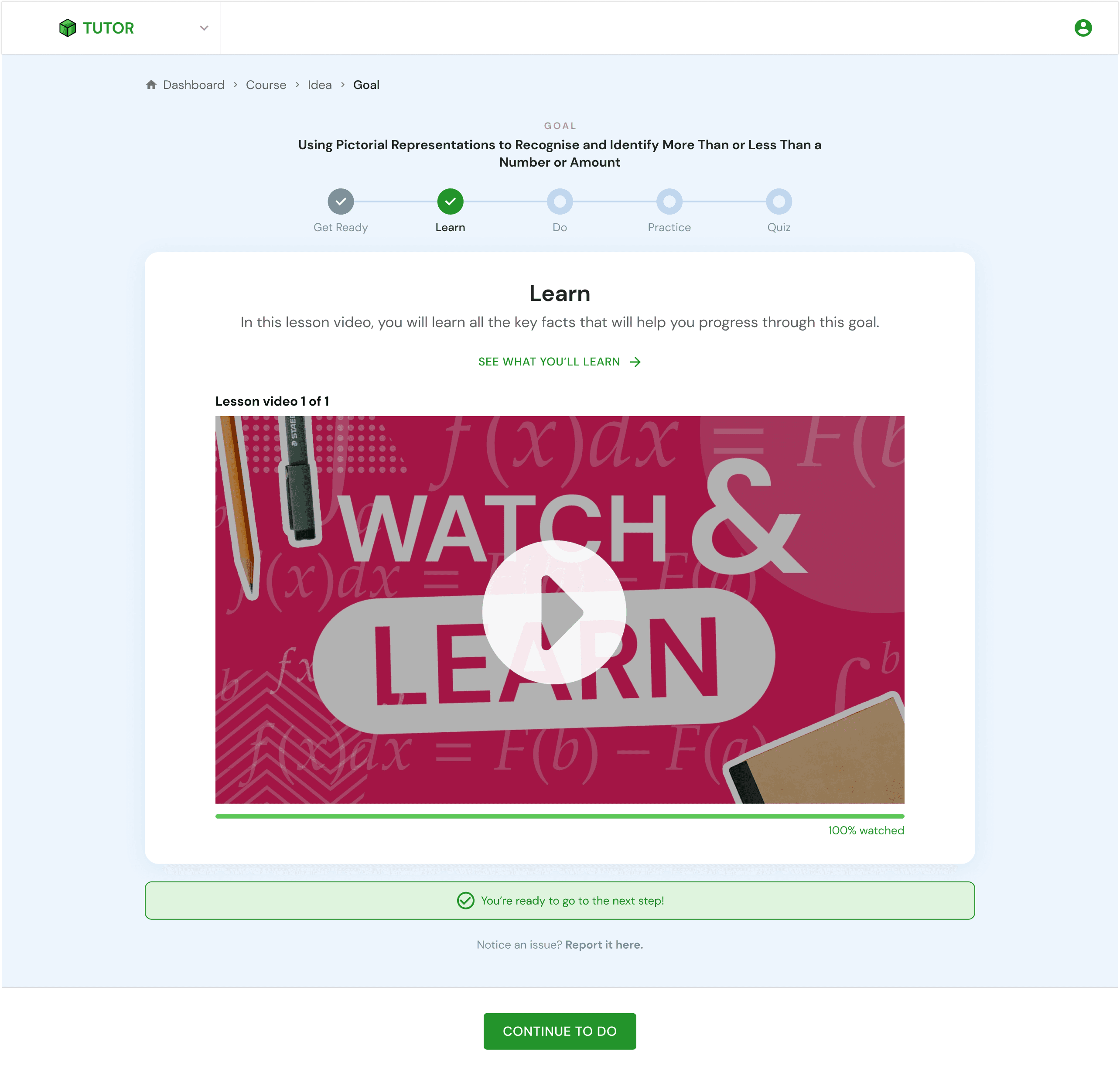
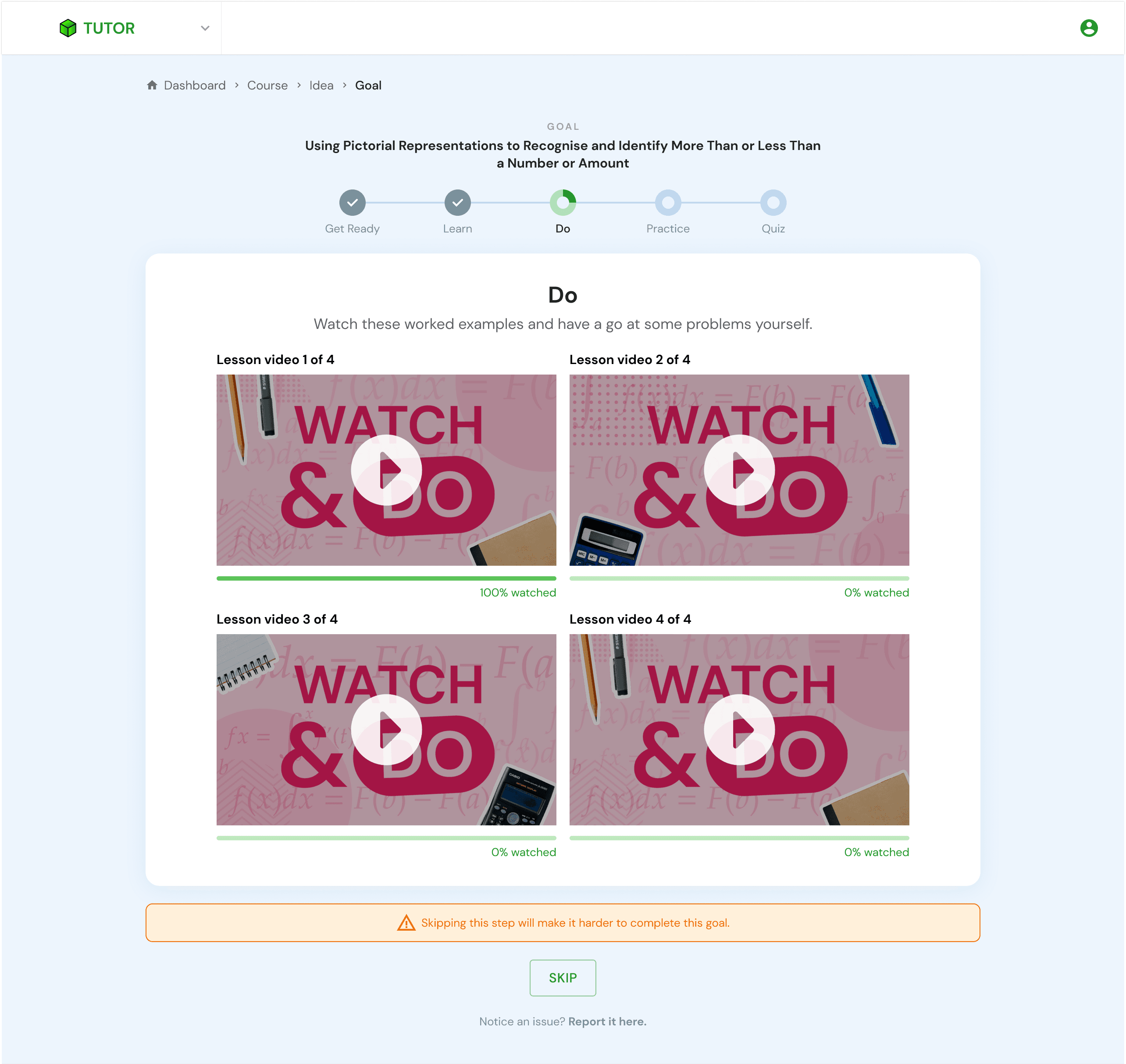
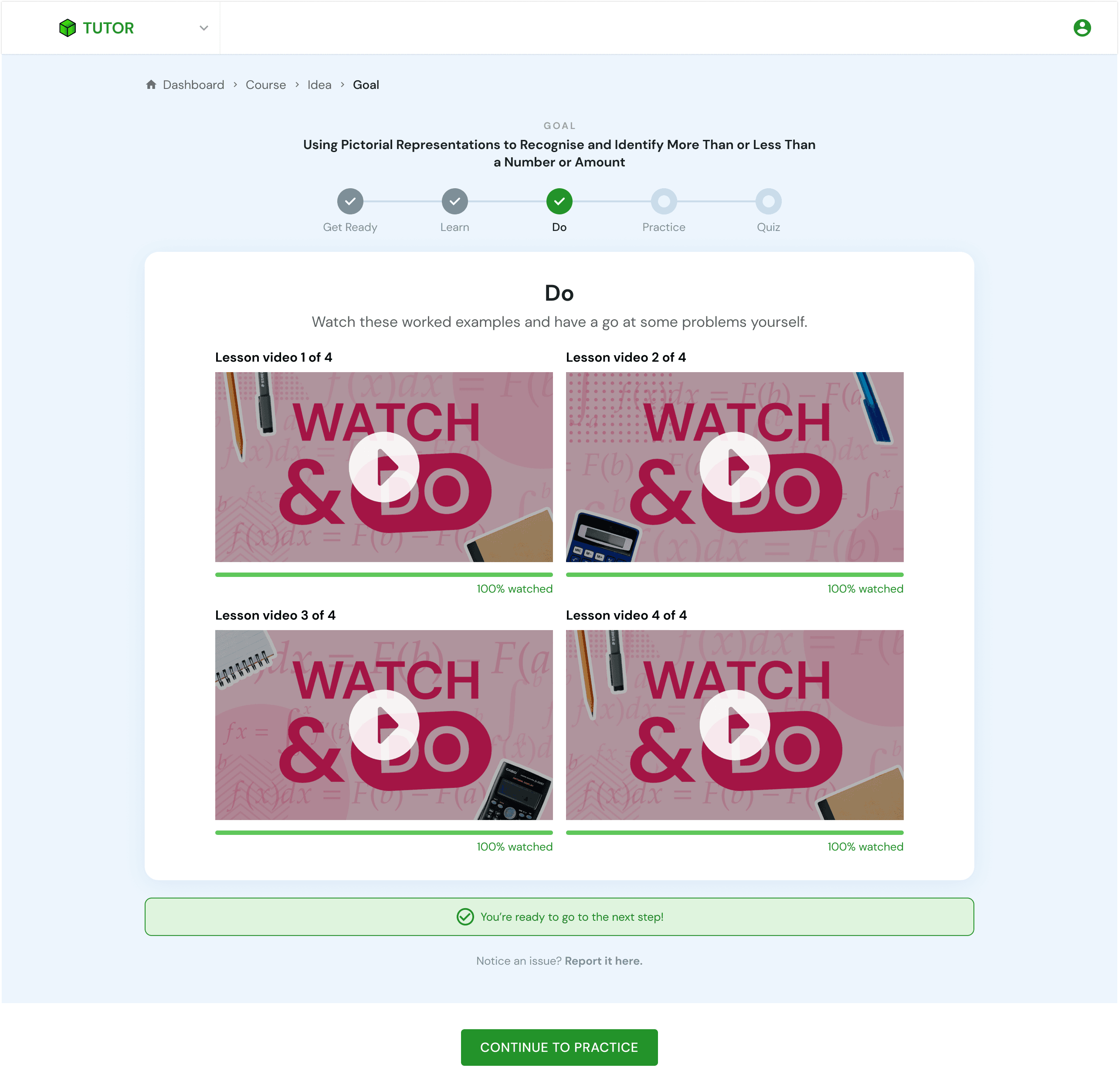
✅ After
Created a set of generic thumbnails to make the videos more engaging.
Added a progress bar for each video, so users know their position while watching.
Replaced the flag icon with a message button at the bottom of the page for reporting issues.
Added a banner message to inform users when they can move to the next step
Added a sticky button at the bottom once the step is completed
Next Step: Find a way to differentiate each thumbnail.
Quiz & Remember Quiz
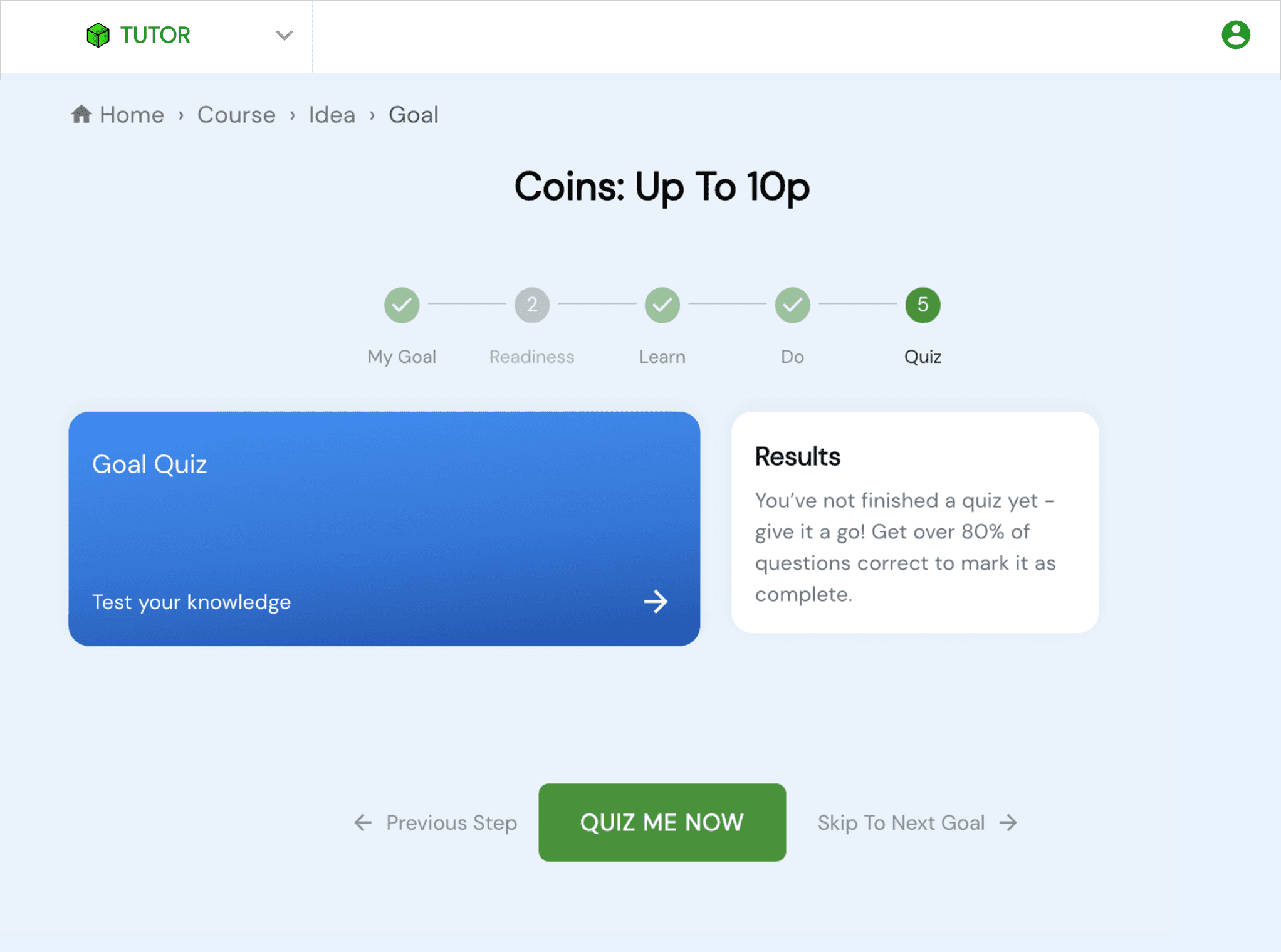
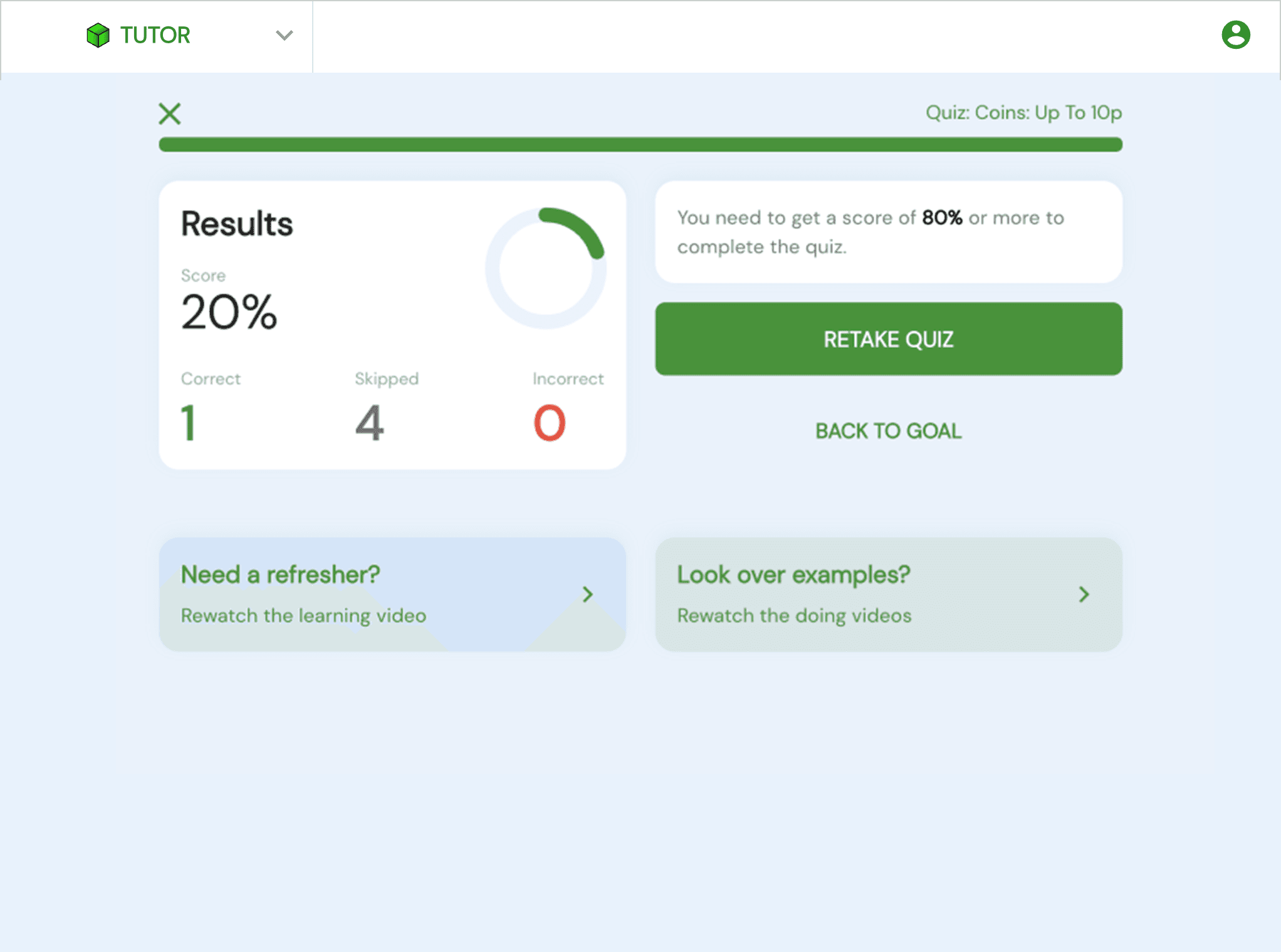
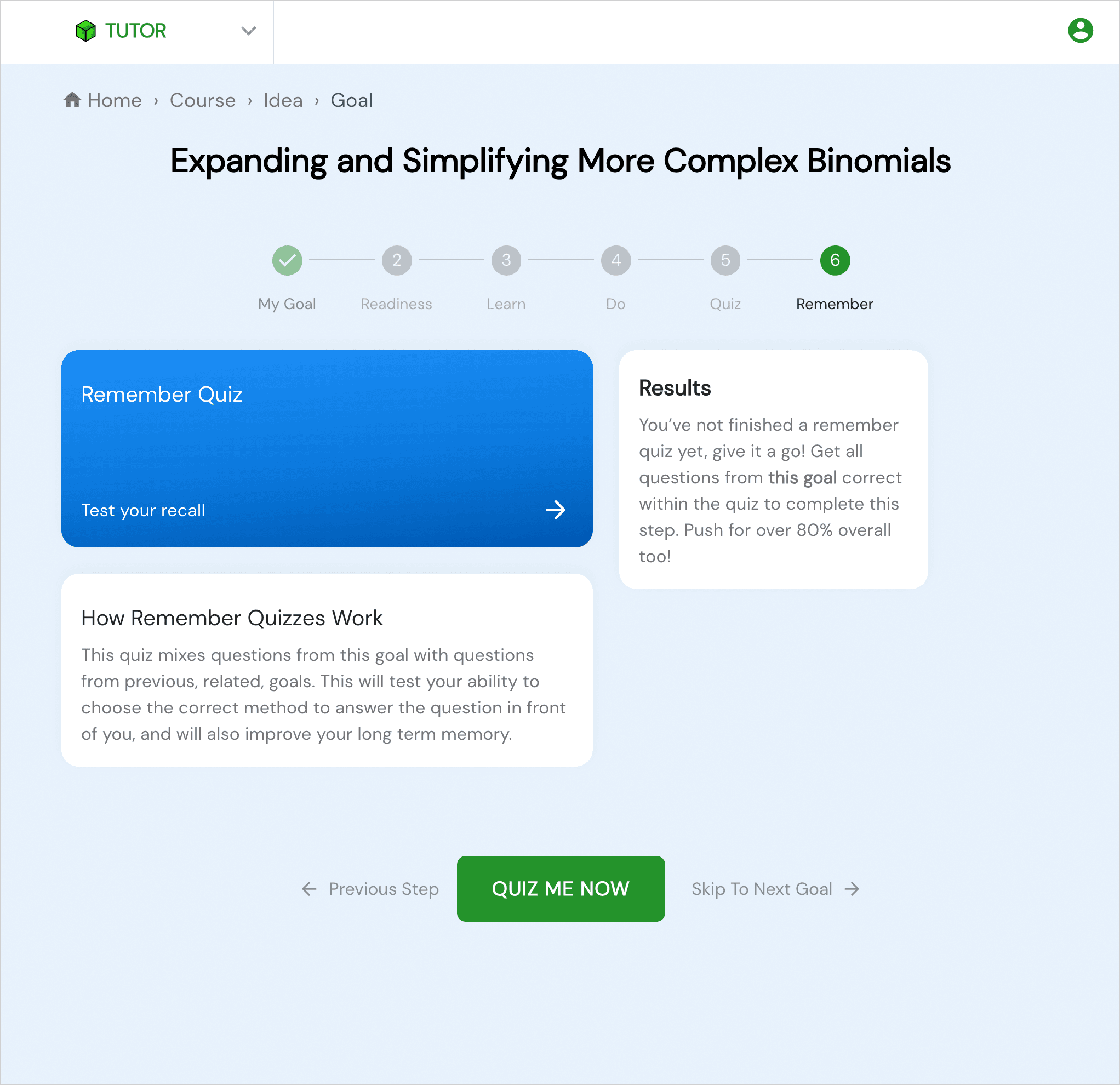
❌ Before
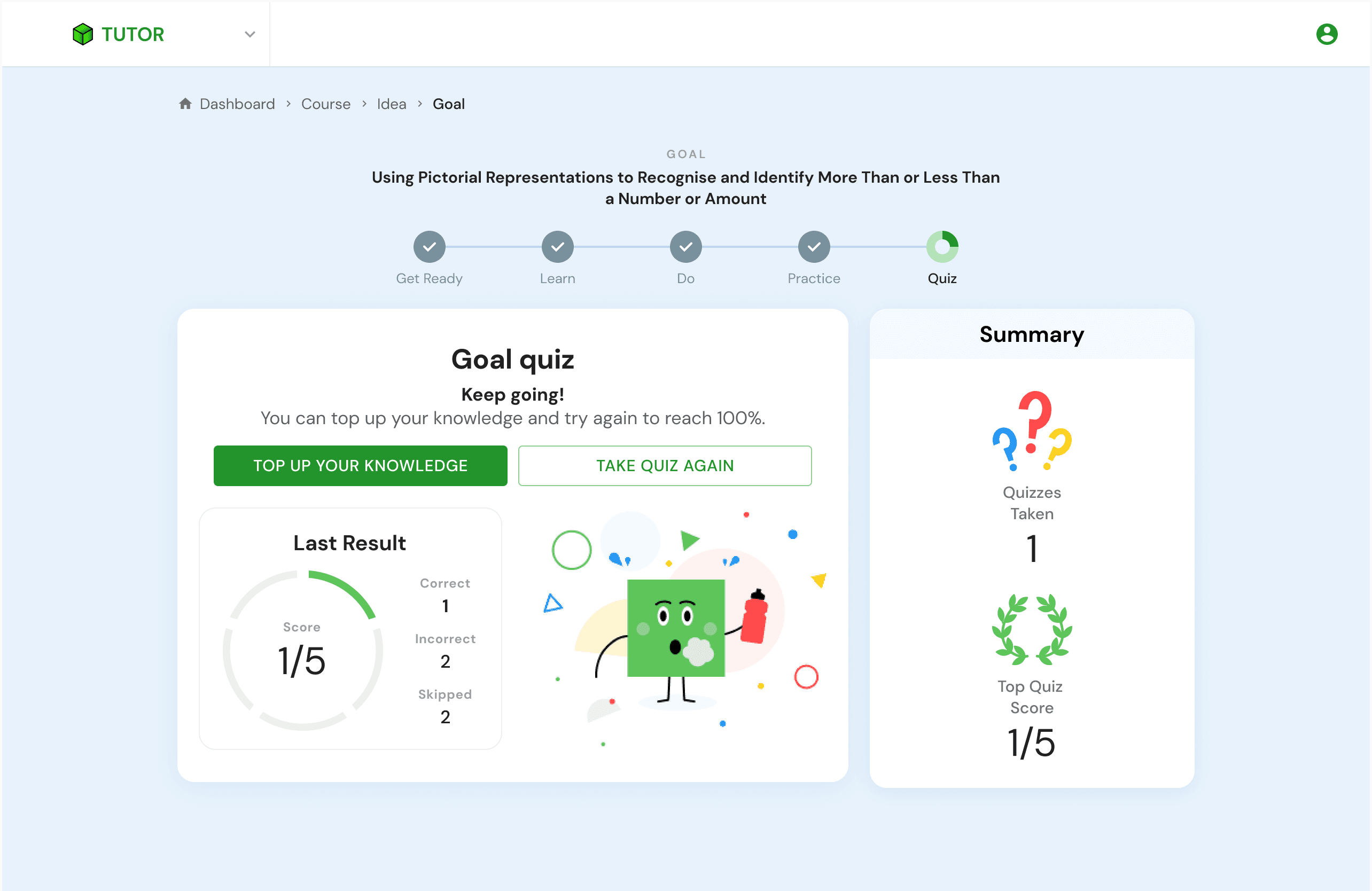
The Quiz and Remember Quiz pages looked very similar.
The Quiz included links to the Learn and Do sections after completion, which were unnecessary.
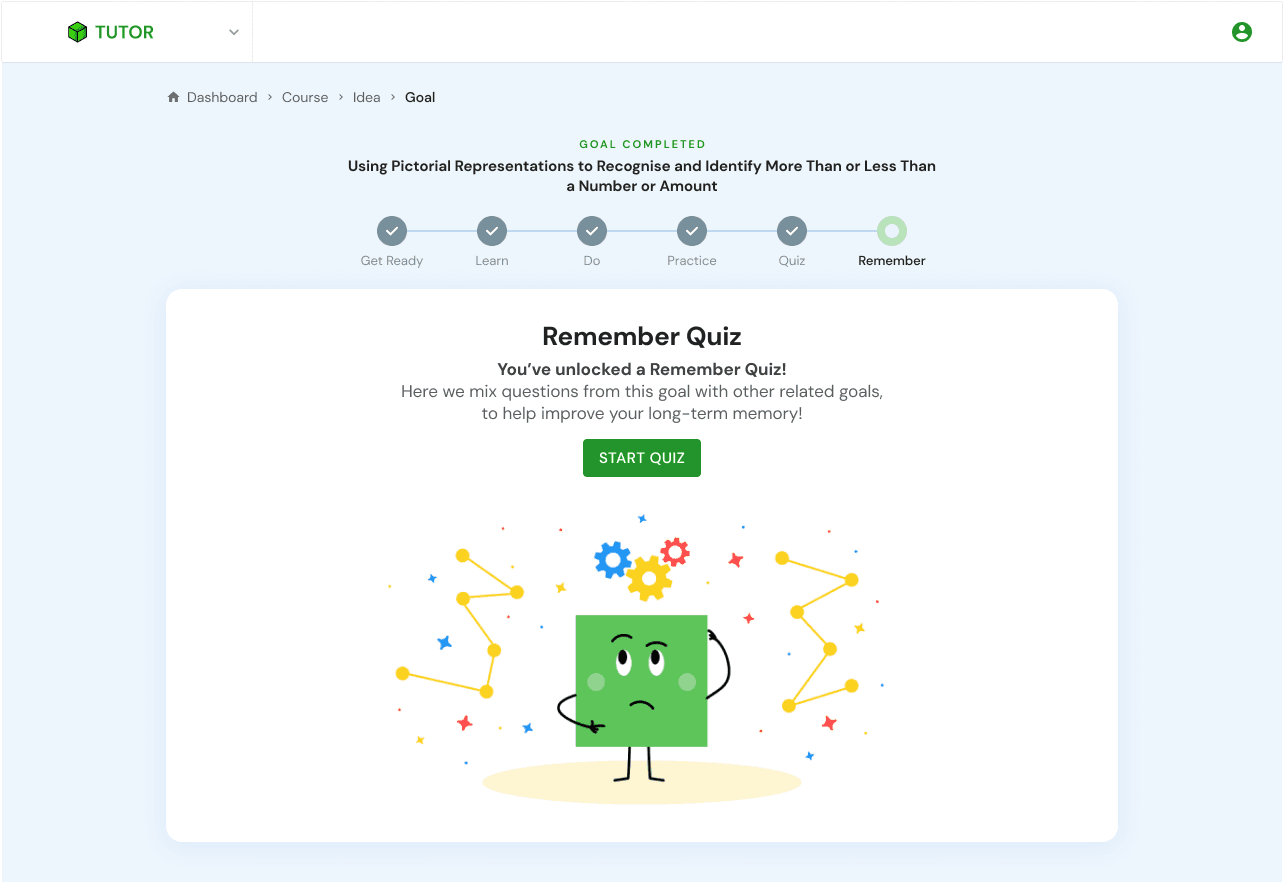
The Remember Quiz page contained too much text.
Users were encouraged to retake the quiz rather than continue learning.
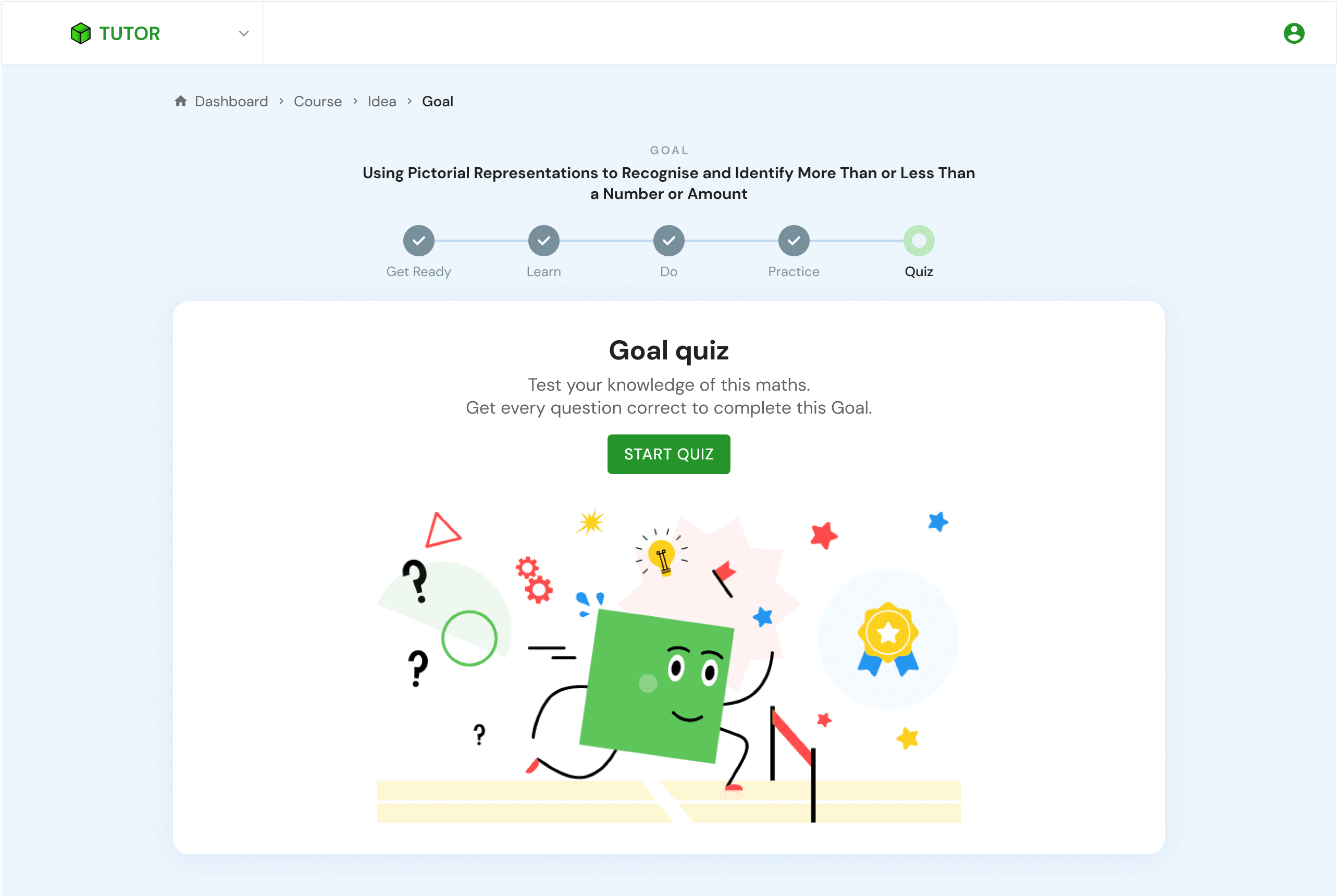
✅ After
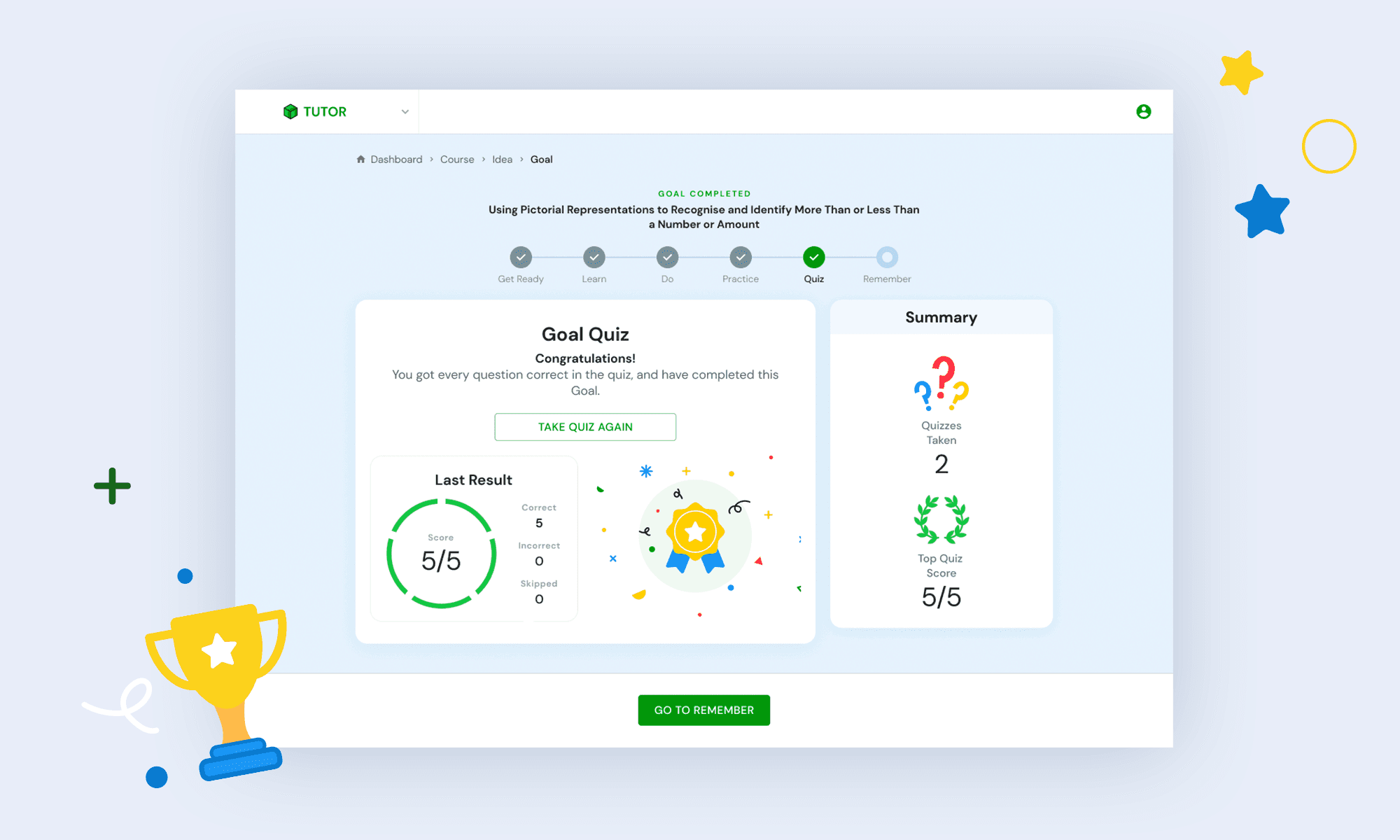
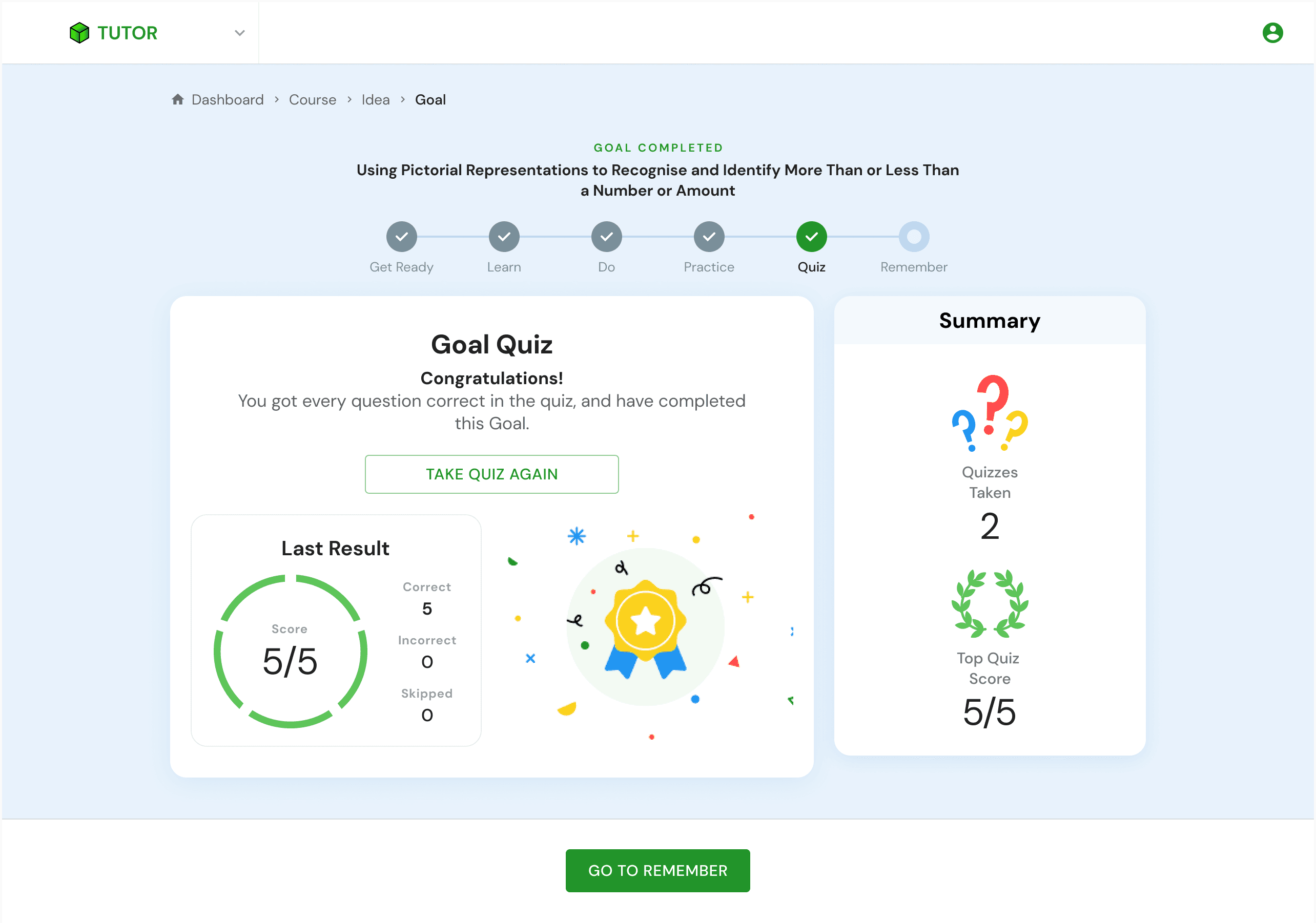
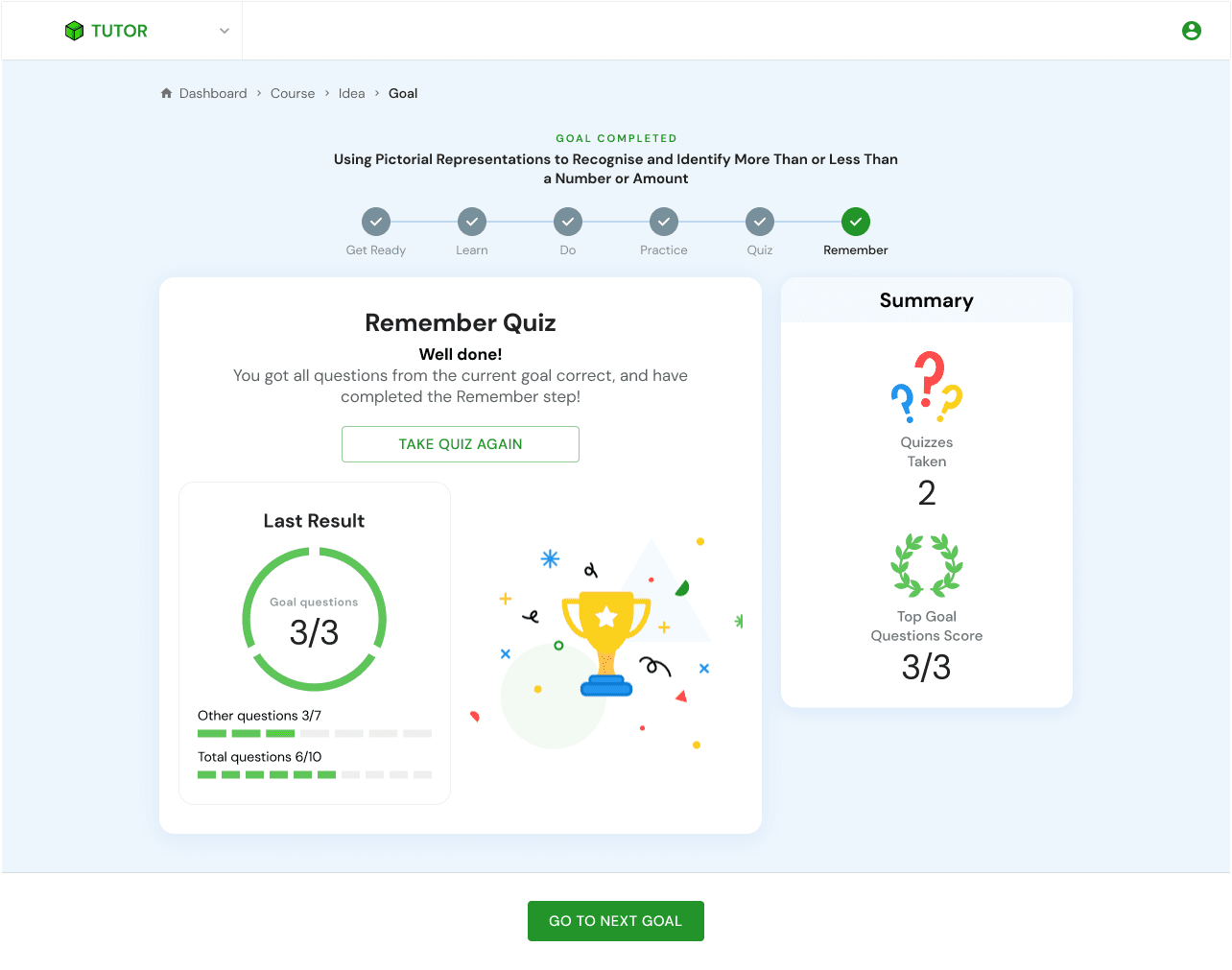
Created illustrations to make the quizzes more engaging and to clearly differentiate the Quiz from the Remember Quiz.
Added a “Top up your knowledge” button to guide users to the Learn or Do sections, encouraging review before retaking the quiz.
Used more cheerful and encouraging messages.
Added a sticky button at the bottom once the step is completed.
Results & Achievement
Children described the updated flow as easier to follow and more enjoyable during usability testing.
The usability sessions showed the teachers that we genuinely care about pupils and their needs, reinforcing our relationship with them.